
Types of VR Experiences: A Complete Guide
VR Experience Finder
Answer a few questions about your goals and setup to find the right VR category for you.
Recommended Type
Immersion LevelHardware Needed
Best For
You put on the headset. The world around you disappears. Suddenly, you are standing on a Martian cliff edge, or maybe you're inside a human heart, or perhaps you're dodging zombies in a dark basement. But wait-did your feet actually move? Did you pick up that sword with your hands, or did you just press a button? Not all virtual reality is created equal. While people often lump everything under the "VR" umbrella, there are distinct types of VR experiences that vary wildly in how they engage your senses and what hardware you need.
If you're trying to figure out which experience fits your needs-whether for education, gaming, or training-you need to understand the spectrum. It ranges from simple 360-degree videos where you're a passive observer, to full-motion simulations that trick your inner ear into thinking you're flying. Let's break down the main categories so you can choose the right one without wasting money on gear you don't need.
Non-Immersive Virtual Reality
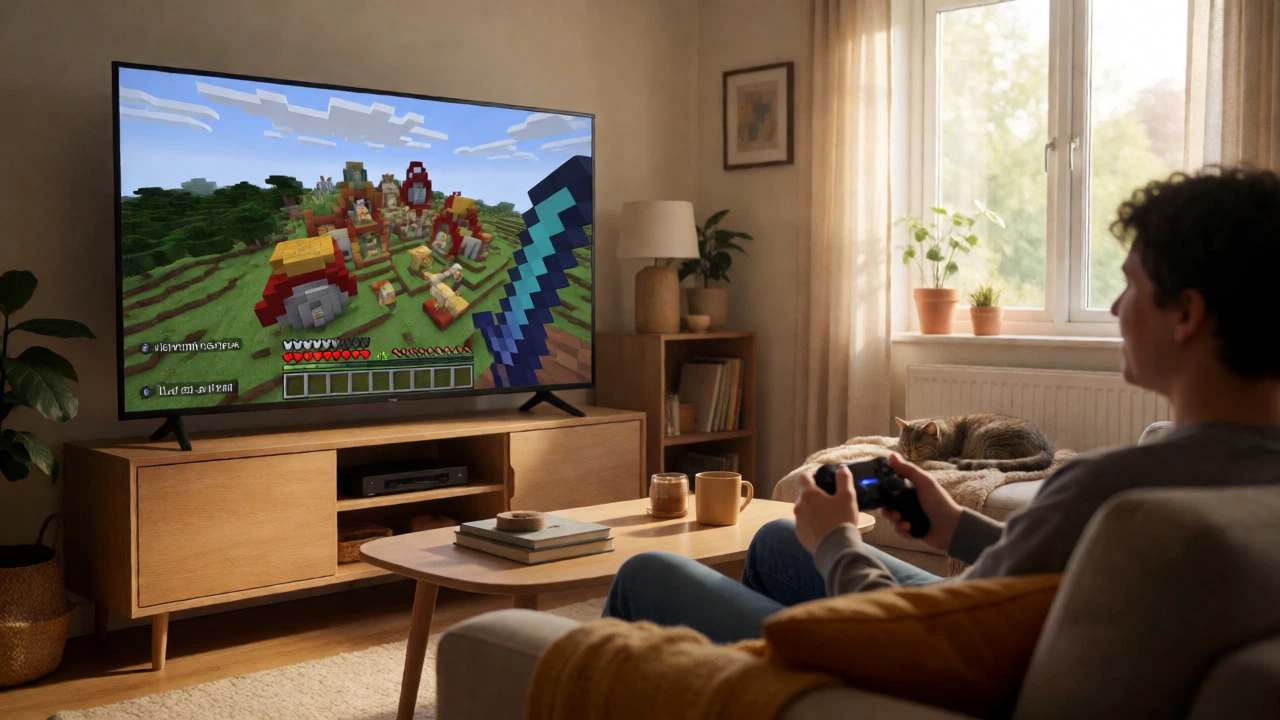
Think of non-immersive VR as the gateway drug. You aren't fully cut off from the real world. Instead, you view a digital environment through a standard screen, like a monitor or a smartphone. This is the most accessible type because it requires minimal special equipment. Most video games you've played on a PC or console fall into this category. You control a character using a keyboard, mouse, or controller, but you still see your desk, your room, and your cat sleeping nearby.
The key feature here is interaction via traditional input devices. You navigate a 3D space, but your physical body doesn't move with your avatar. For example, when you play Minecraft in desktop mode, you are experiencing non-immersive VR. You build structures and explore caves, but you remain seated. This type is ideal for casual users who want to dip their toes into 3D environments without dealing with headsets, cables, or motion sickness. It’s also the standard for many architectural visualizations where clients review designs on large monitors rather than wearing goggles.
Semi-Immersive Virtual Reality
Semi-immersive VR strikes a balance between full immersion and accessibility. Here, you get part of the sensory experience, usually involving some form of head tracking or partial field-of-view coverage. You might use a basic VR headset that tracks head movement but lacks hand controllers, or you might use a CAVE system (Cave Automatic Virtual Environment) found in universities and research labs.
In a CAVE setup, you stand in a room-sized cube where walls, floor, and ceiling display projected images. As you turn your head, the perspective shifts, giving you depth perception. However, you still see other people in the room with you. This makes semi-immersive VR perfect for collaborative work. Architects can walk through a building model together, pointing at structural issues while wearing lightweight glasses. Flight simulators for commercial pilots often start here too. They provide enough realism to train spatial awareness without the extreme isolation of fully enclosed headsets. If you’ve ever used a mobile VR viewer like an old Google Cardboard, you’ve experienced low-end semi-immersion. It’s limited, but it gives you that "wow" factor of looking around a 360-degree scene.
Fully Immersive Virtual Reality
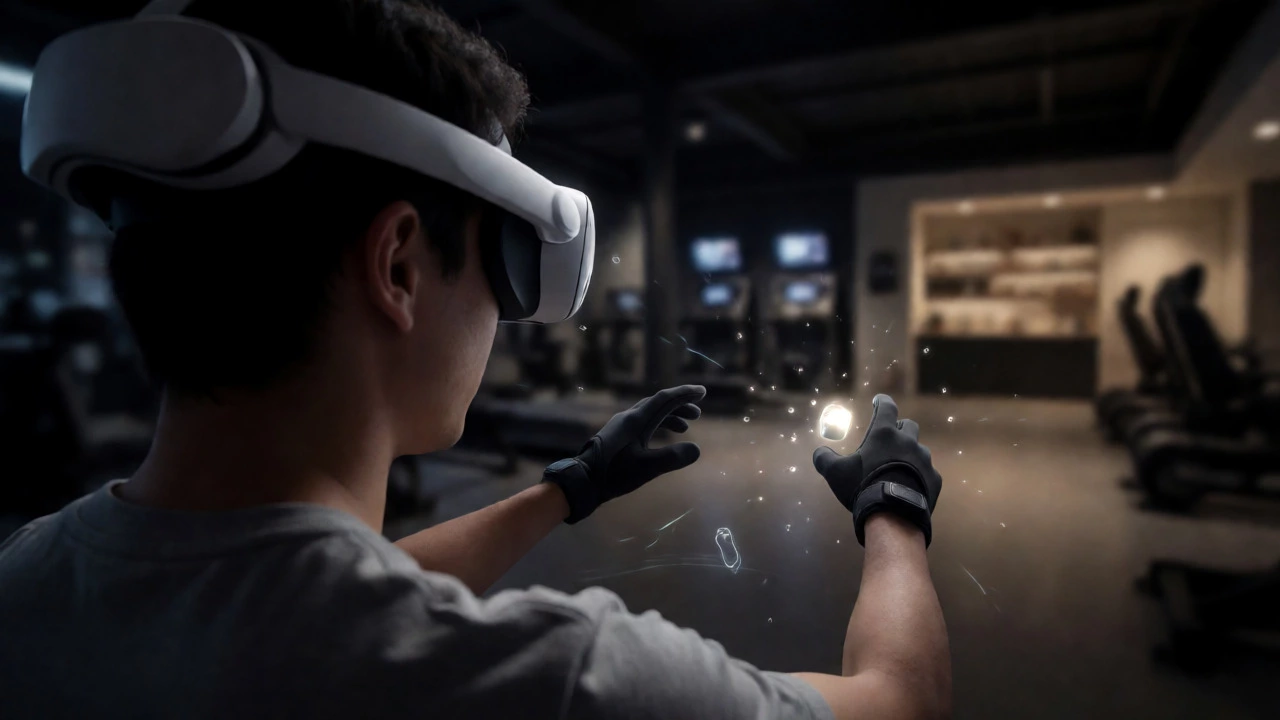
This is what most people picture when they hear "VR." Fully immersive systems completely replace your visual and auditory surroundings with a digital environment. To achieve this, you need high-resolution head-mounted displays (HMDs) that cover your entire peripheral vision. Devices like the Meta Quest 3, PlayStation VR2, or Valve Index belong to this class.
But visuals alone aren’t enough. True immersion requires multi-sensory feedback. High-end setups include haptic gloves that simulate touch, allowing you to feel the recoil of a gun or the texture of a wall. Spatial audio ensures sounds come from specific directions, so you know exactly where a zombie is groaning behind you. In Sydney, arcades offering these experiences often add wind fans, scent dispensers, and vibrating vests to deepen the illusion. When you look down, you see virtual hands instead of your own. When you reach out, you grab virtual objects. This level of presence tricks your brain into believing you are physically present in the simulation. It’s intense, exciting, and sometimes disorienting if you’re not prepared.
| Experience Type | Primary Hardware | User Interaction | Immersion Level | Best For |
|---|---|---|---|---|
| Non-Immersive | PC Monitor, Smartphone | Keyboard/Mouse, Gamepad | Low | Casual Gaming, Education |
| Semi-Immersive | Basic HMD, CAVE System | Head Tracking, Limited Controllers | Medium | Collaborative Design, Training |
| Fully Immersive | High-End HMD, Haptics | Full Body Tracking, Hand Gestures | High | Gaming, Simulation, Therapy |
| Augmented Reality (AR) | Smartphone, AR Glasses | Camera Overlay, Touch Screen | Mixed | Navigation, Retail, Maintenance |

Augmented Reality: The Hybrid Alternative
While technically distinct from pure VR, Augmented Reality is often grouped with VR experiences because it uses similar underlying tech. AR overlays digital information onto the real world. Unlike VR, which blocks out reality, AR enhances it. Think of Pokémon GO on your phone. You see your actual street, but there’s a Pikachu standing on the sidewalk.
For enterprise users, AR is invaluable. Mechanics wear smart glasses that highlight which bolt to tighten next. Surgeons use AR to project patient scans directly over the operating site. Because you remain aware of your surroundings, AR is safer for public spaces and less likely to cause motion sickness. It’s the best choice if you need context-sensitive data without losing connection to the physical world. If you’re in retail, AR lets customers visualize furniture in their living rooms before buying. It’s practical, useful, and far less isolating than putting on a bulky headset.
Interactive vs. Passive VR Experiences
Beyond the hardware, we must distinguish between interactive and passive content. This distinction dictates whether you are a participant or a spectator. Interactive VR allows you to manipulate the environment. You solve puzzles, fight enemies, or assemble machinery. Games like Half-Life: Alyx are highly interactive; every object you see can potentially be picked up and thrown.
Passive VR, often called 360-degree video, offers no interactivity beyond changing your viewing angle. You watch a rollercoaster ride or a documentary about the Great Barrier Reef. You can look left, right, up, or down, but you cannot stop the coaster or swim with the turtles. These experiences are great for storytelling and empathy-building. Non-profit organizations use passive VR to show refugees’ journeys, allowing viewers to witness conditions firsthand without needing complex game mechanics. However, passive VR rarely holds attention as long as interactive titles because the user lacks agency. If you buy a headset expecting to "play" a movie, you’ll be disappointed. Know the difference before downloading content.
Social and Collaborative VR
VR isn’t always a solo affair. Social VR platforms create shared digital spaces where avatars interact in real-time. Apps like VRChat or Rec Room let thousands of users meet, chat, and play mini-games together. Your voice changes based on distance and direction, adding a layer of realism to conversations.
Corporate teams now use collaborative VR for meetings. Instead of staring at Zoom tiles, colleagues sit around a virtual table, manipulating 3D models together. This fosters better engagement than flat screens. During the pandemic, many remote workers turned to social VR to combat isolation. It provides a sense of "being there" with friends, even if you live continents apart. If you’re shy in person, VR can be surprisingly liberating. Many users report feeling more confident expressing themselves through customizable avatars than in face-to-face interactions.
Choosing the Right Experience for You
So, how do you decide? Start by asking what you want to achieve. Are you looking for entertainment? Go for fully immersive interactive games. Need to learn anatomy? Semi-immersive or fully immersive educational apps work well. Want to visualize a new sofa? Use AR on your phone. Don’t overspend on hardware if your use case is simple. A $50 cardboard viewer won’t give you the same experience as a $500 headset, but it might be enough for watching 360-degree travel videos.
Consider your tolerance for motion sickness. Fully immersive VR involves rapid head movements that can disconnect your vestibular system from your visual input. Beginners should start with stationary experiences before trying free-roam walking simulations. Also, check your space. Fully immersive VR requires clear floor area to avoid hitting walls. If you live in a small apartment in Sydney, you might prefer seated experiences or AR solutions that don’t require swinging arms wildly.
What is the difference between VR and AR?
Virtual Reality (VR) replaces your real-world environment with a digital one, typically requiring a headset that blocks out external light. Augmented Reality (AR) overlays digital elements onto the real world, usually viewed through a smartphone camera or transparent glasses. VR is immersive and isolated; AR is additive and contextual.
Do I need expensive hardware for VR?
Not necessarily. Non-immersive VR runs on standard PCs and consoles. Mobile VR uses smartphones with inexpensive viewers. Fully immersive standalone headsets like the Meta Quest series offer a middle ground, costing less than high-end PC-tethered systems. Choose based on the quality of immersion you desire.
Can VR cause motion sickness?
Yes, especially in fully immersive experiences where your eyes perceive movement but your inner ear feels stationary. This mismatch causes nausea in some users. Developers mitigate this with comfort settings like teleportation movement and vignetting. Starting with shorter sessions helps build tolerance over time.
What are examples of non-immersive VR?
Most traditional 3D video games played on a computer or console are considered non-immersive VR. Examples include first-person shooters like Call of Duty or exploration games like Minecraft when played on a flat screen. Architectural walkthroughs displayed on monitors also fit this category.
Is passive VR interactive?
Generally, no. Passive VR refers to 360-degree videos where the user can only change their viewing angle by moving their head. You cannot pick up objects, trigger events, or alter the narrative path. It is a observational experience rather than a participatory one.